
NetBird iOS v0.3.1 is one of our biggest mobile releases yet. It brings the app in line with the rest of your NetBird clients: an iOS 18 Control Center toggle for one-tap access, full IPv6 dual-stack support, cleaner exit node handling, and a redesigned connection screen. Under the hood, the client now runs on netbird-core v0.74.2 and picks up a long list of stability fixes for flaky networks and expiring sessions.
A New Way to Connect
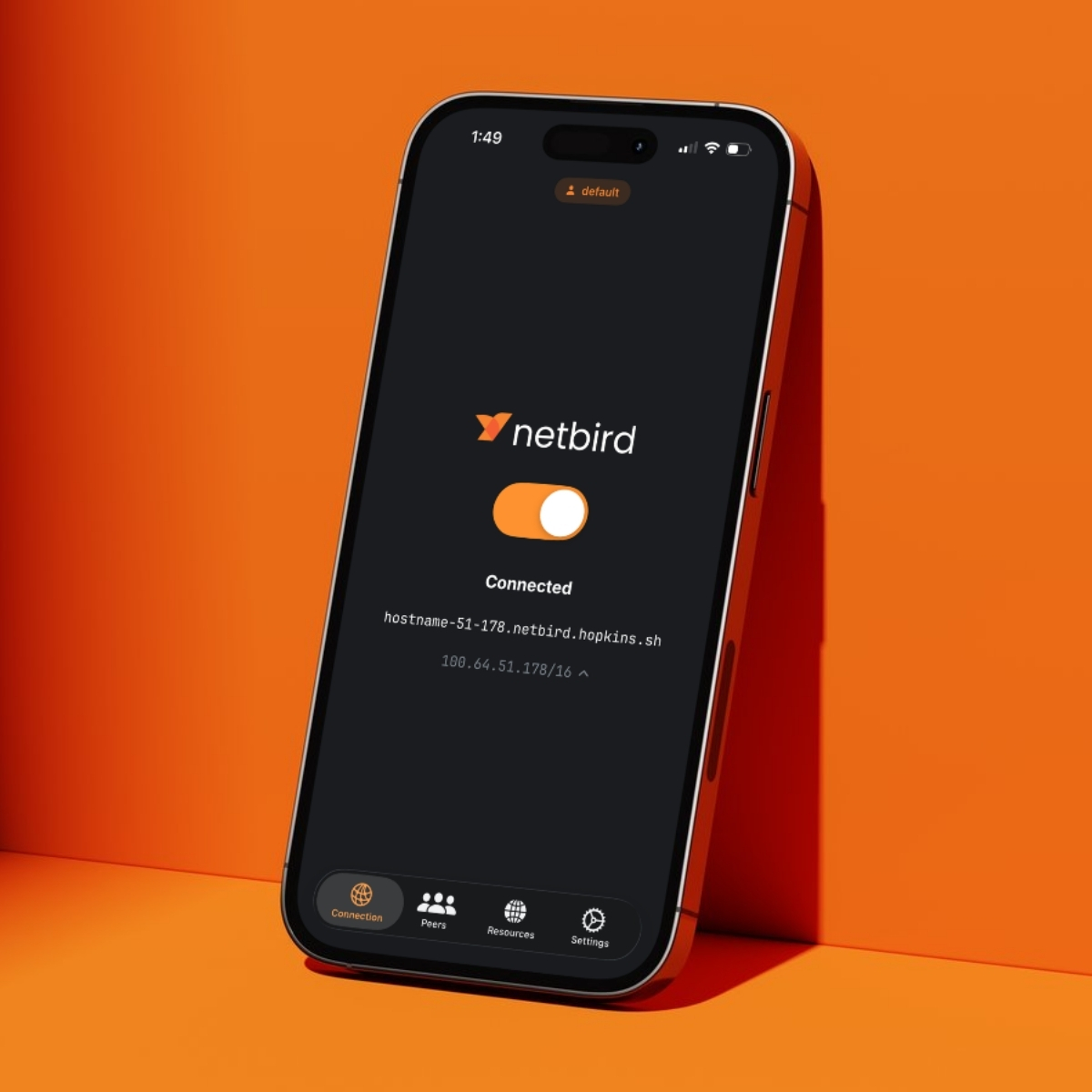
The first thing you'll notice is the connection screen itself. We replaced the old animated connect button with a simple toggle switch, the same interaction pattern you already use everywhere else in iOS. Flip it on, and the app walks through the connecting states with clearer visual feedback before landing on Connected, along with your peer hostname and address.
It's a small change, but it makes the state of your tunnel unmistakable at a glance.
VPN Toggle in Control Center
On iOS 18, you no longer need to open the app at all. NetBird now ships a Controls widget you can drop into Control Center, letting you bring your tunnel up or down straight from the swipe-down panel or the Lock Screen. It's the fastest path to connecting we've offered on mobile, and it's perfect for quickly hopping onto your network to check something and hopping back off.
IPv6 Dual-Stack Support
NetBird's overlay network went dual-stack with IPv6 overlay addressing, and the iOS client now speaks it natively. Every peer can receive both an IPv4 and an IPv6 address from your account prefix, and the app shows both right in the Peers list.
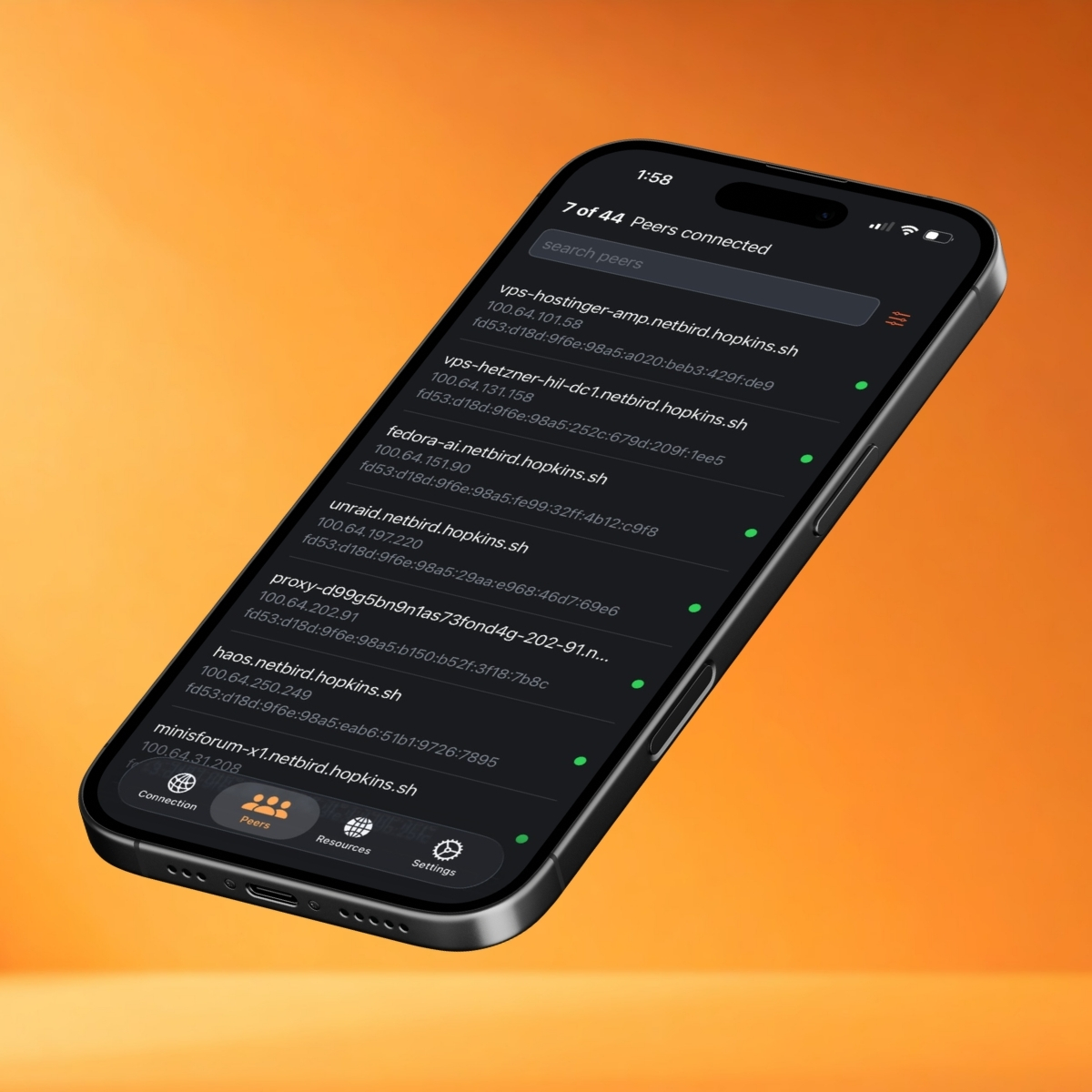
This matters most on modern mobile networks, many of which are IPv6-first. Dual-stack means your iPhone connects the way the underlying network prefers, with fewer translation layers in the middle. We also cleaned up how the engine handles IPv6 across sessions, so stale interface data from a previous connection is cleared out when a new engine session starts.
Smarter Exit Nodes and Resources
Routing your mobile traffic through an exit node is one of the most common things people do with NetBird on the go, whether that's to reach a home lab, sit behind a specific egress IP, or tunnel everything through a trusted location. This release backports single exit node selection, so choosing where your traffic exits is a clean, one-at-a-time toggle rather than a fight with overlapping routes.
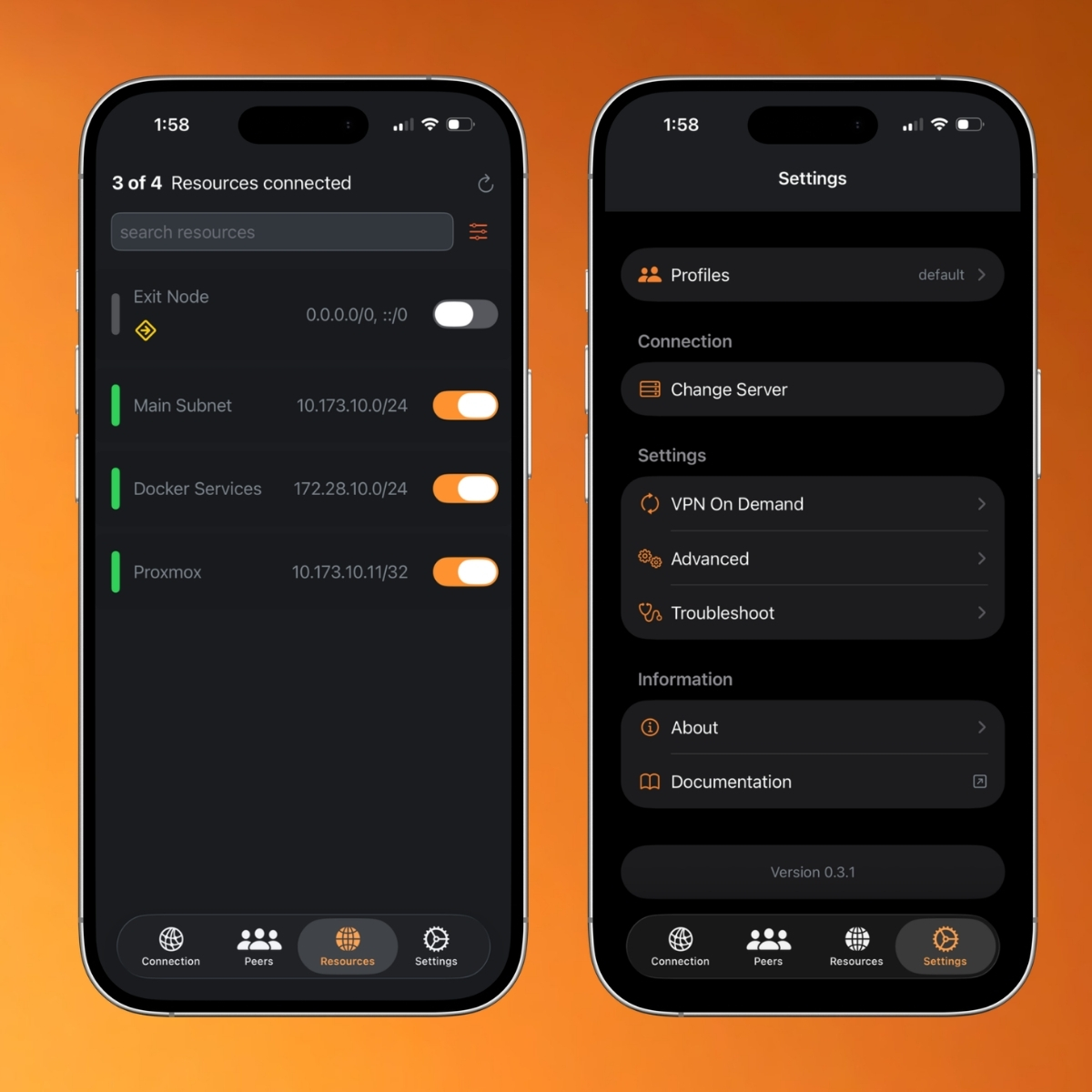
On the Resources screen you can flip your exit node (note the default route now covering both IPv4 and IPv6) and toggle individual subnet routes like your main LAN, Docker services, or a Proxmox host independently. We also fixed the route status indicators so dynamic DNS routes report their real state instead of getting stuck.
Better Troubleshooting
When something does go wrong on a mobile network, getting logs off a phone has always been painful. The Troubleshoot screen now includes a debug bundle uploader, so you can generate a diagnostic bundle and send it to us directly from the device, no cables or sideloading required. If the tunnel drops because your authentication session expired mid-connection, the app now tells you exactly that with a notification, instead of leaving you guessing why traffic stopped.
Stability Fixes
A large part of this release is simply making the client more dependable on the unpredictable networks phones live on:
- Fixed connection-state flickering so the UI settles on the correct state instead of bouncing between connecting and connected.
- Resolved extension crashes caused by delayed Go callbacks during network instability, a common failure mode when switching between Wi-Fi and cellular.
- Fixed internet connectivity loss when an authentication session expired while the tunnel was up.
- Cleaned up the login flow, including a wrong server selection bug and premature alerts during sign-in.
- Added an orange indicator for peers that are still in the process of connecting, so "connecting" and "connected" are visually distinct.
Getting Started
If you already have NetBird installed, the update will roll out through the App Store automatically, or you can grab it now. New to mobile? Download NetBird for iOS, sign in, and your peers, resources, and exit nodes are a single toggle away.
- Get the app: NetBird on the App Store
- See the full changelog: iOS client v0.3.1 release notes
- Learn more: Read the client documentation
- Join the community: Star us on GitHub · Follow us on X