
We've got a sidebar cleanup coming in dashboard v2.97. The things you work with every day are moving up top, Networking and Agent Network each get their own section, and the account pages sit together at the bottom.
The essentials, one click away
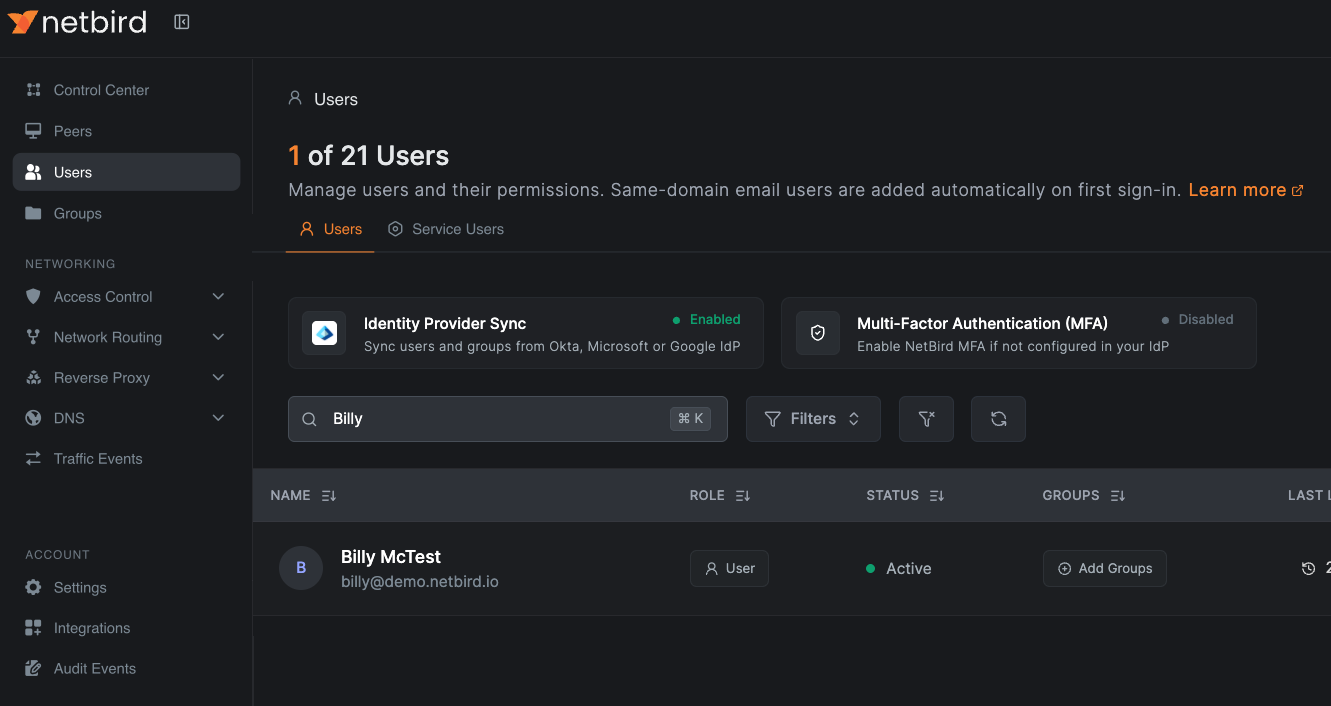
Control Center leads the list because it gives you an overview of the whole network. Right below it, you've got Peers, Users, and Groups, all available directly from the sidebar.
These are the objects you use most often, and they're shared across both products. Almost everything you configure in NetBird builds on them: policies, routes, networks, agent rules, and so on. So Groups gets its own entry outside Access Control, and Users moves out of Team.
Service users now sit on a tab next to the people. Open Users, then go ahead and select Service Users to manage the identities you use for API access and automation.
A section for each product
Networking is where you'll go for core connectivity and access control:
- Access Control, with Policies and Posture Checks.
- Network Routing, with Networks and Routes.
- Reverse Proxy.
- DNS.
- Traffic Events.
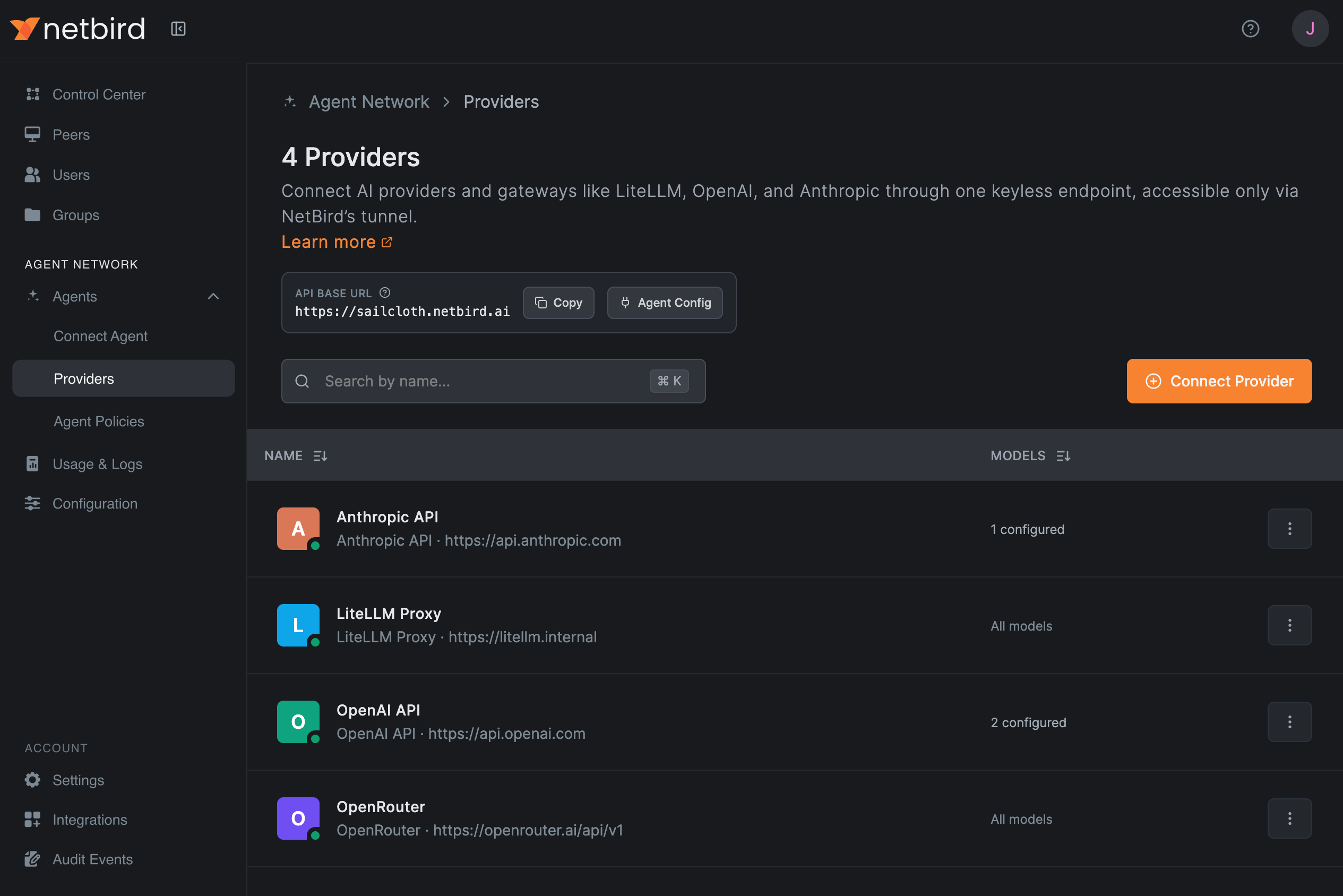
Then there's Agent Network, with Agents, Usage & Logs, and Configuration. Expand Agents and you'll find Connect Agent, Providers, and Agent Policies. The Agent Policies name helps you tell those rules apart from the networking policies under Access Control.
I like that you can collapse either product section and leave the one you're using open. The dashboard remembers that choice in your browser, and when you navigate to a page inside a section, it opens and highlights so you can see where you are.
Do note that the sections and pages you see depend on your permissions and which products your account has enabled. If you're using Agent Network focused view, Networking is hidden. You can still get to the shared pages at the top and the Account options at the bottom, according to your permissions.
Account pages together at the bottom
Down at the bottom, Account brings together the pages that apply to your whole account. Settings is where you configure it, and Integrations is where you connect outside systems like identity providers, endpoint detection and response (EDR) tools, and event streaming. If you're an MSP, Tenants is under Account too.
Setup keys are still a tab in Settings, and you can open documentation from the question-mark help menu up in the dashboard header.
Two kinds of events, in two places
We're also splitting up the old Activity section because the two event logs answer different questions:
| Event log | Where to find it | What it tells you |
|---|---|---|
| Audit Events | Account | Who changed what across the account, including users, settings, and policies. |
| Traffic Events | Networking | What network traffic flowed between peers and resources. |
Go ahead and check out dashboard PR #892 for the implementation, or docs PR #1106 for the updated navigation instructions and screenshots. With all that, have a great one.