
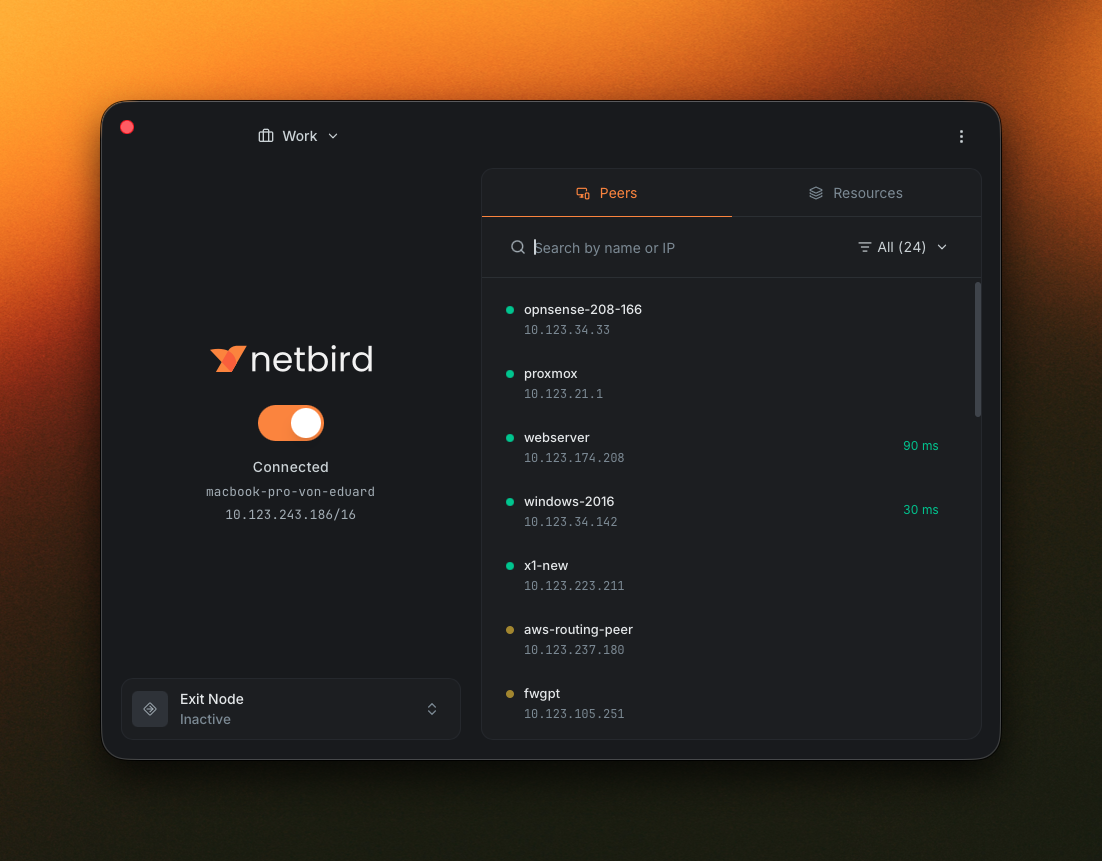
We rebuilt the NetBird desktop app from the ground up, and it's ready for you to try. The new version runs on Wails3 with a React + Vite + Tailwind frontend, and it's out now as a release candidate. Same proven NetBird core underneath, brand new everything you see and click.
You can grab it right now: v0.75.0-rc.* over on GitHub releases. We'd love your eyes on it before we cut a stable build, so go ahead and install it and let us know what you think.
What's New at a Glance
- Rename profiles with uppercase letters, spaces, and human-readable names.
- Peer details panel with status, address, route info, and connection metadata.
- Default and Advanced views of the main window: compact, or expanded for peers and resources.
- MDM-driven UI that can hide the Advanced view or gate capabilities via flags like and .
- Reactive UI: changes from the agent or CLI show up immediately.
- Session expiration notification and extend active session without dropping your connection.
- Initial localization for English, German, Spanish, French, Italian, Portuguese, Hungarian, Russian, and Simplified Chinese.
- X11 window manager support on Linux.
- Debug bundle that captures daemon and UI logs in one shot.
A Rebuilt Foundation
The old client used Fyne , which did the job but limited what we could design around. The new app keeps the Go backend for everything that talks to the daemon and moves the UI to a React SPA inside a Wails3 webview, with Radix primitives and Tailwind on top.
Your network keeps working the same way: the management server and the wire protocol haven't changed, so the redesign is all in what you see and click. One thing to flag, though, the new UI is not backward compatible with the old agent, so you'll want to update the app and the agent together. If they end up out of sync, the app shows a notification letting you know to update.
Default and Advanced Views
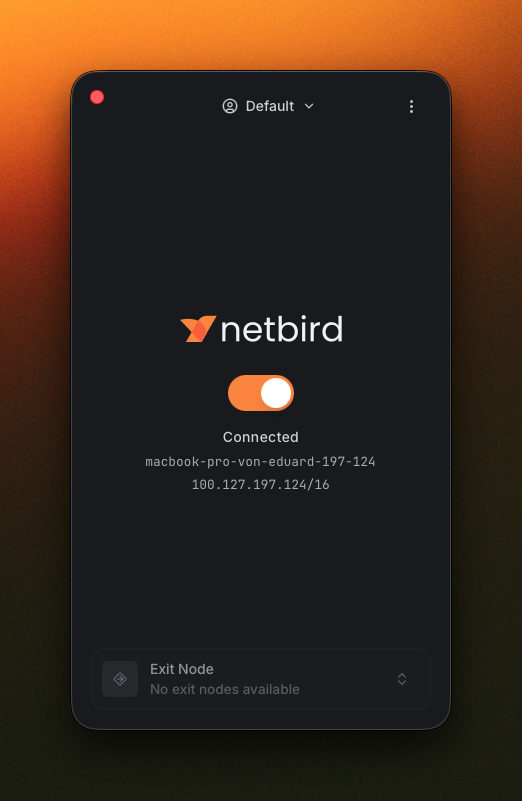
The main window opens in a compact Default mode showing the essentials: profile, connection status, hostname, overlay IP, and current exit node.
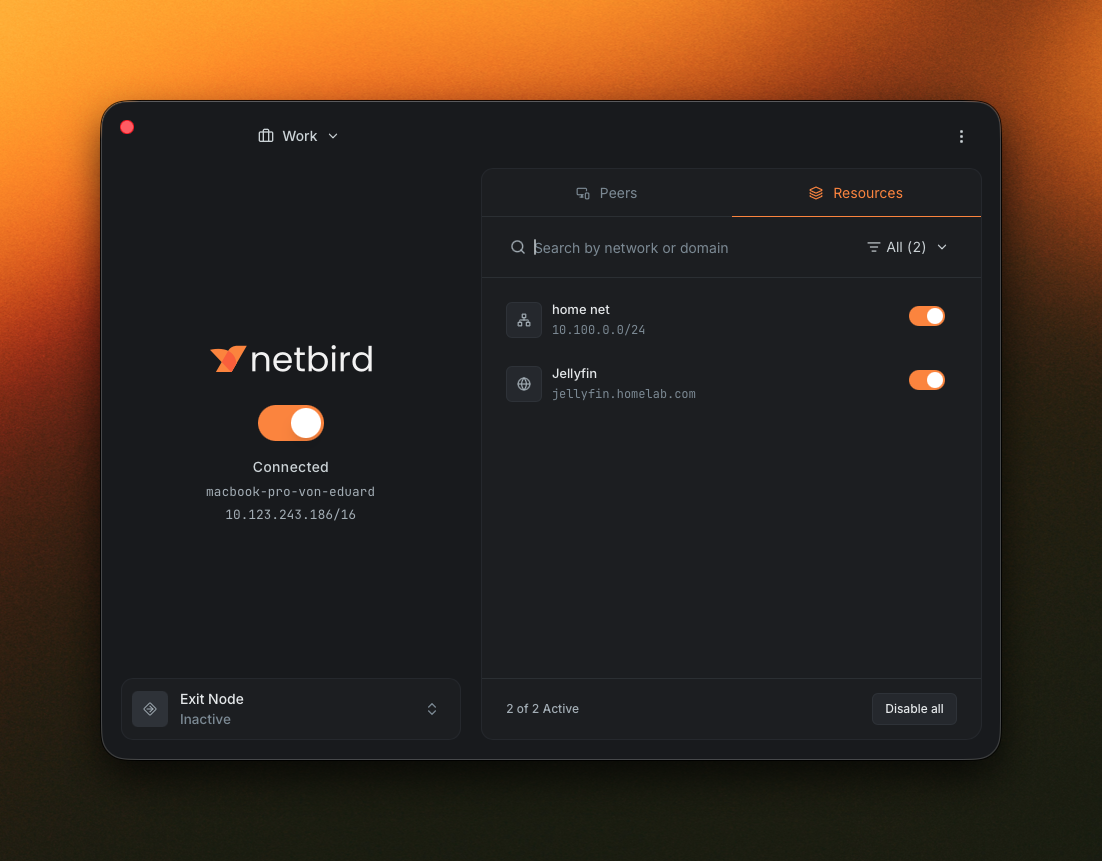
Switch to Advanced mode and the window expands with a peers and resources browser on the right. The Peers tab lists every peer in your network.
Flip over to the Resources tab and you get the network resources available to you, all in the same panel.
Click a peer and you get a detail panel with the stuff you'd otherwise need the CLI for: address, status, route, connection details, and group membership. Pretty handy when you're trying to figure out why two peers aren't talking.
A Reactive UI
Changes made by the NetBird agent or the CLI show up in the app right away. Connect or disconnect from the CLI and the toggle flips. Switch profile and the window catches up on its own. No manual refresh, no relaunch.
Profiles, Properly First-Class
Profiles existed before, but managing them was the weak spot. You can now edit and rename profiles from a dedicated Profiles tab in Settings, not just add and delete. Names accept uppercase letters and spaces, so "Work", "Production", and "Home Lab" all work. Each profile also picks up an icon based on its type (Work, Home, Default, and a few more) so the right one is obvious in the profile switcher inside the app.
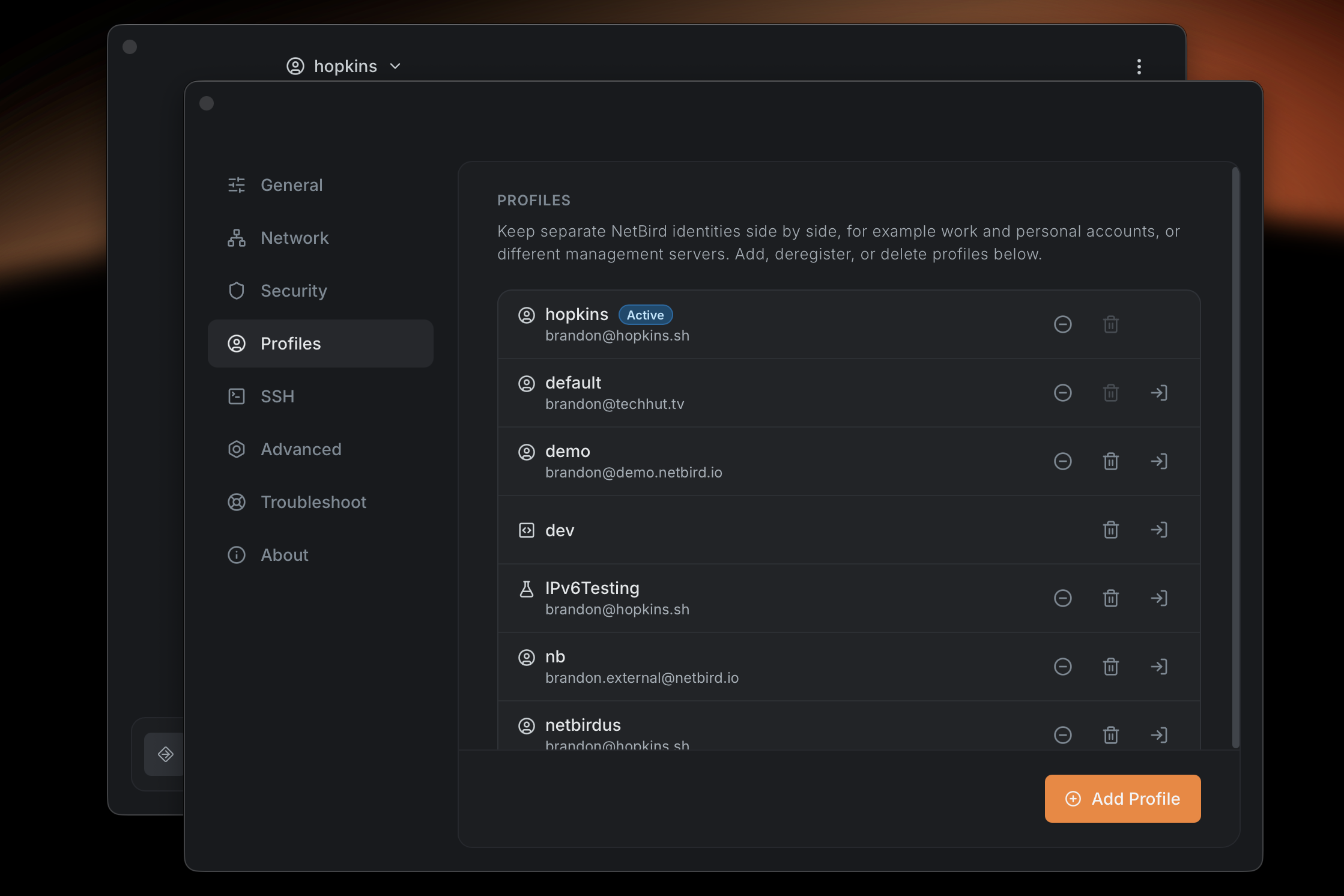
If you're rolling this out to managed devices and you don't want people touching profiles at all, you can lock the whole thing down with , or just freeze the settings with . The Profiles docs have the full rundown.
A Smarter System Tray
A coloured status dot sits next to the icon row: green when connected, yellow when you need to log in, grey when disconnected. You can read the state of your network without opening anything.
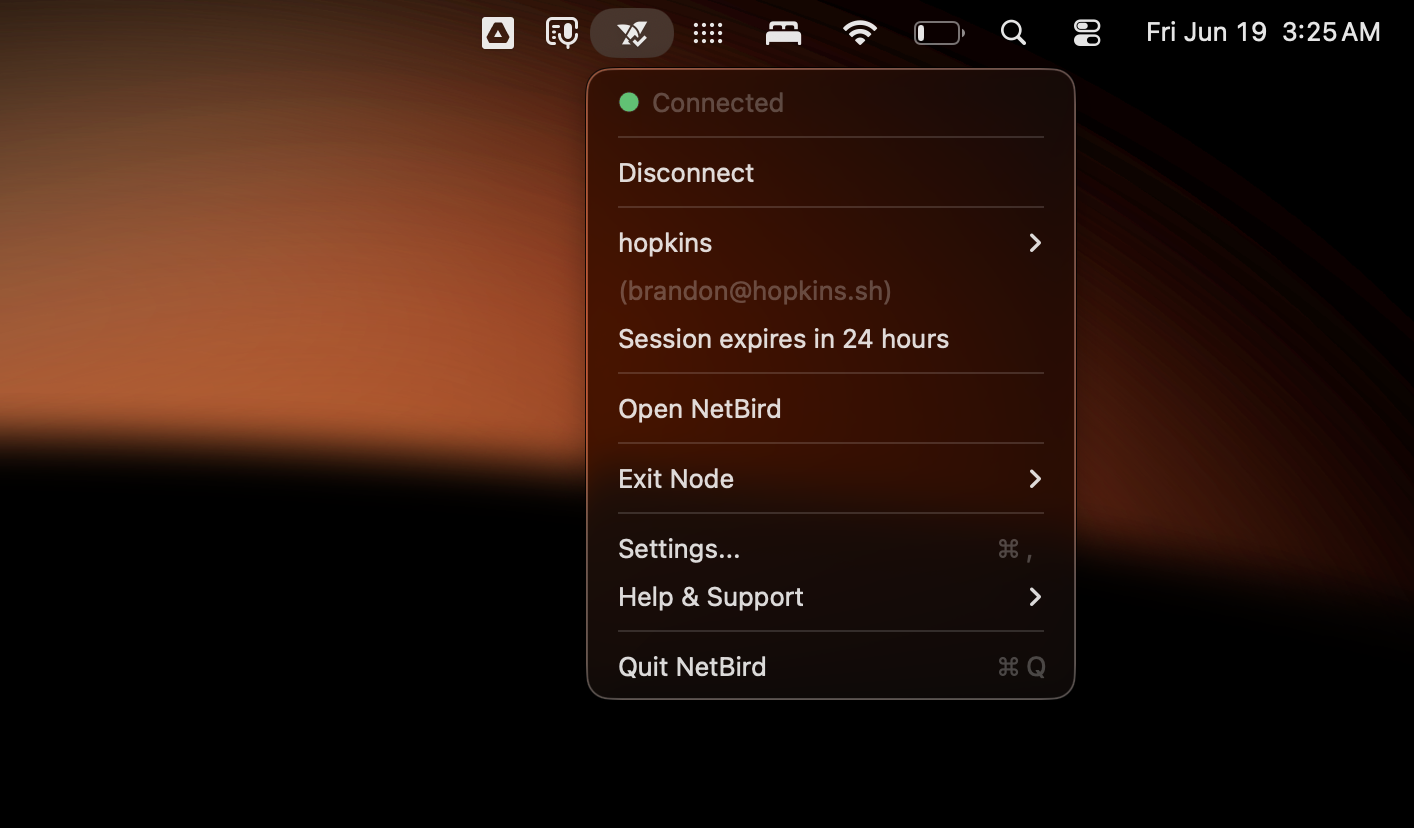
Per-platform polish too: better behaviour on Linux X11 desktops, a less-intrusive macOS experience where the Dock icon only shows up when an app window is open, and improved status rendering on Windows.
Settings, Reorganized
The settings page is now a tabbed layout with everything grouped by what it actually controls.
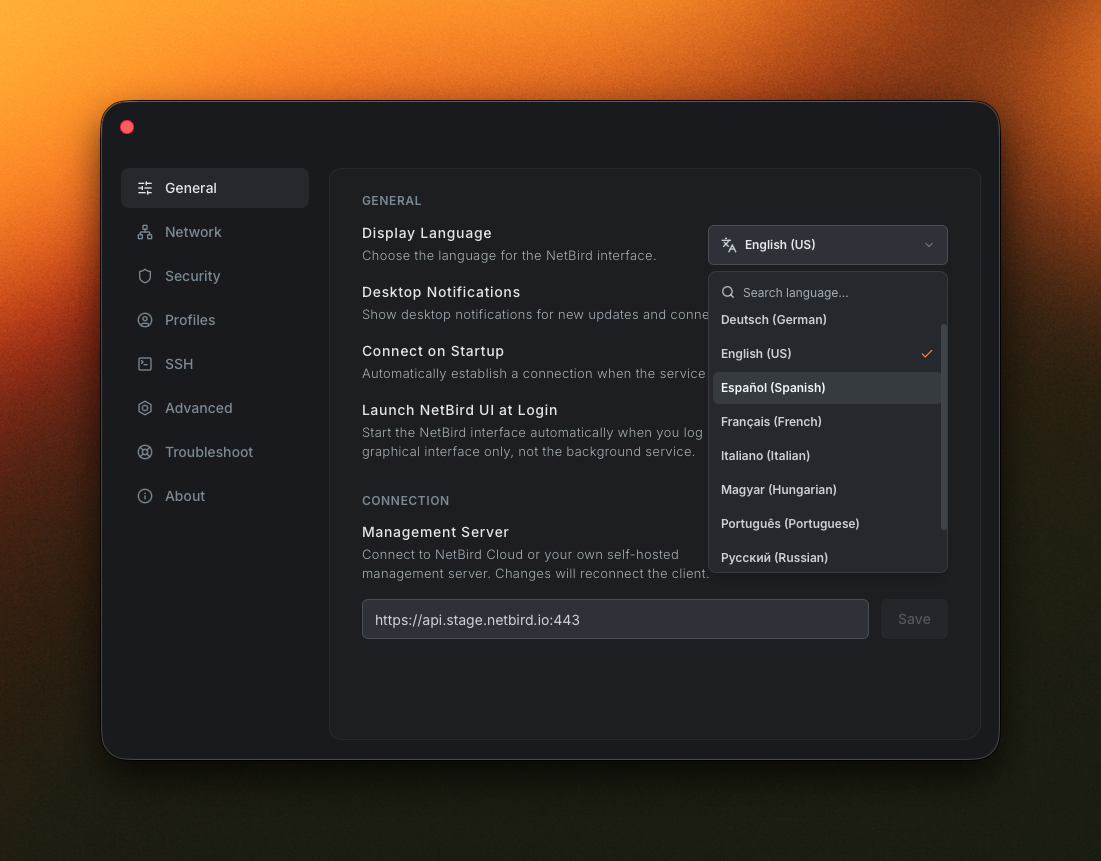
The tabs you'll see depend on any MDM policy in effect, but the full set is:
- General for the everyday toggles: auto-start, notifications, and language.
- Network for lazy connections, reconnect on network change, and routing and DNS toggles like enabling client routes, server routes, and IPv6.
- Security for blocking inbound traffic, blocking LAN access, and Rosenpass.
- Profiles for managing profiles: editing, deleting, and switching between them.
- SSH for server SSH and native SSH options.
- Advanced for the things that used to be buried: interface name, port, MTU, and PSK.
- Troubleshoot for grabbing a debug bundle that captures both the daemon logs and the UI logs at the current log level.
- About for version info, useful links, and updating the app.
MDM-Driven UI
If you roll NetBird out through MDM, the app now reads the policy in effect on the device and adjusts itself to match. Users only see options they're allowed to use.
- Hide whole views. hides the Advanced view of the main window so managed users only see the compact one.
- Gate specific capabilities with flags like , which controls whether the SSH management toggle is available.
- Restrictions refresh in the background when the window becomes visible or the connection status changes, so MDM-pushed policy updates apply without a restart.
Session Expiry, Less Disruptive
This one came straight out of user feedback. The old flow was unforgiving: a session that ran past its expiry would tear down the connection without warning, killing SSH sessions, remote desktop sessions, and backups mid-flight just because the sign-in needed a refresh.
The new flow is built around one rule: re-authenticating should never close an active connection.
When a session is about to expire, the app shows a focused dialog with a countdown and two clear actions: renew or log out. An OS-level notification fires ahead of time so the dialog isn't the first signal you get.
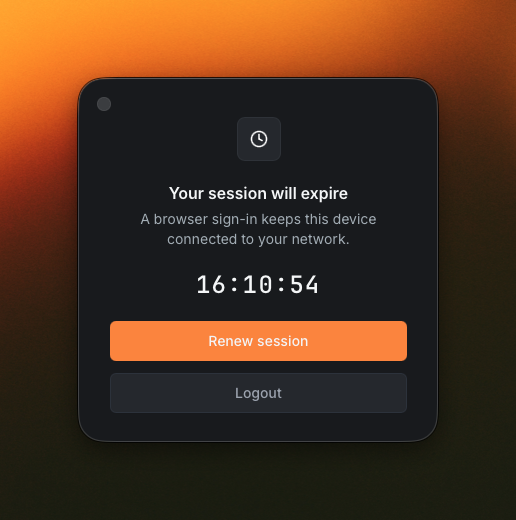
Renew session runs the browser sign-in flow while your existing connection stays up. Your tunnels, SSH sessions, and remote desktop sessions keep running through the renewal. Only the underlying session ticket changes.
Localization
The old client had no real path to ship translations. The new one is built around them.
Switch languages from the Display Language picker in Settings → General. The change is instant. The RC ships with initial translations for English, German, Spanish, French, Italian, Portuguese, Hungarian, Russian, and Simplified Chinese.
Do note that these initial translations aren't perfect yet. Some strings read awkwardly, some haven't caught up with recent UI changes, and a couple of languages are more complete than others. If your language is missing or a phrase is wrong, please open a PR. Feedback from native speakers is exactly what we need.
One Thing for Linux Folks
The redesigned app renders its interface in a GTK 4 WebKit webview, and Linux distributions package those libraries under all sorts of different names. So on Linux you'll want to install them manually before launching the GUI. On Debian or Ubuntu that's:
On other distros, go ahead and install the equivalent GTK 4, WebKitGTK 6.0, and xdg-utils packages from your package manager. Do note that the current stable GUI does not need any of this, it's only for the new app. The Linux install guide has the details if you need them.
Try the RC, Send Us Feedback
We'd love your eyes on it before we cut a stable build. Areas we'd especially appreciate feedback on:
- Tray behaviour and status indicator on your platform
- Profile switching, editing, and renaming
- MDM-managed devices, if you have a policy in place
- Session renewal: does your connection stay up the way it should?
- Language coverage and awkward wording in your locale
If anything looks off, please open an issue.
- Download the RC: v0.75.0-rc.* on GitHub releases
- Read the docs: Desktop App on docs.netbird.io
- Source / branch: on netbirdio/netbird
- File a bug: github.com/netbirdio/netbird/issues
- Get started with NetBird: netbird.io/pricing
- Join the community: Star us on GitHub · Follow us on X